Published October 2, 2026
Do headings help my business show up in AI search?
Mostly indirectly. Clear headings help AI systems split a page into usable pieces, and Microsoft says so in its guidance. Google says there is no special optimization for AI Overviews, and no platform promises placement from heading changes. Fix vague headings because it makes the page clearer, not because it is a shortcut.
What this means
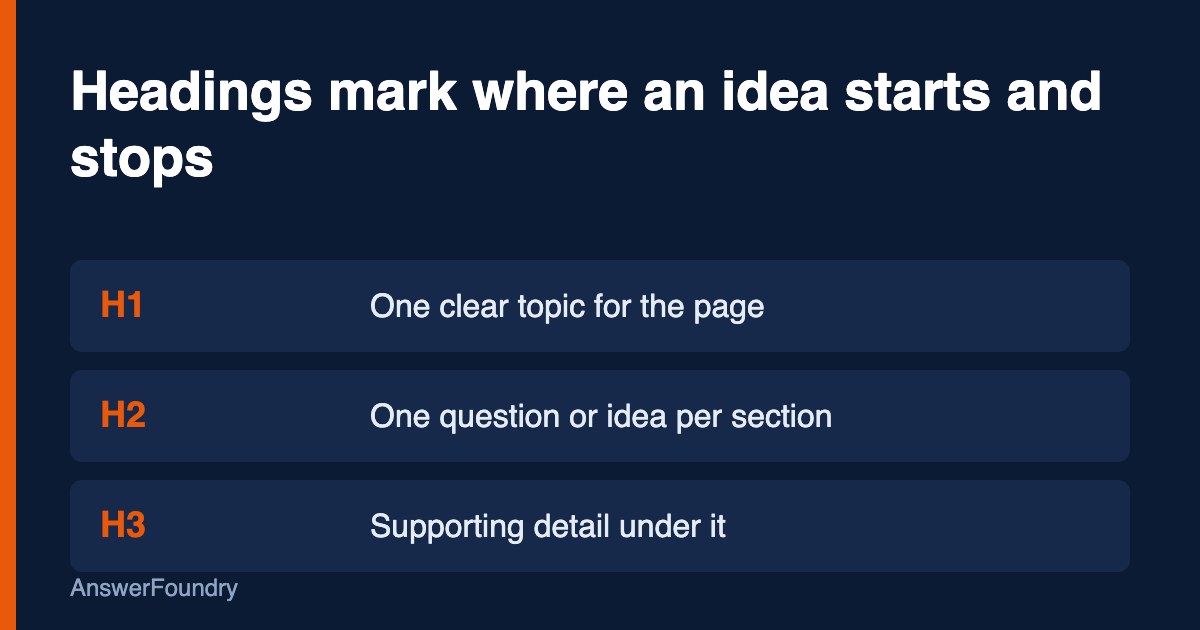
Headings are the labels on the sections of your page. The H1 names the page, and H2 and H3 headings name the parts inside it. People use them to scan. AI search tools use them, along with the rest of the page, to work out where one idea stops and the next starts.
Microsoft says AI assistants "don't read a page top to bottom like a person would." They break a page into smaller pieces and rank those pieces, and Microsoft describes H2 and H3 headings as chapter titles that mark clear content slices (Madhavan, 2025). A heading that says what the section answers makes that slicing easier.
That is the useful claim. The overstated claim is that headings are a ranking lever for AI answers. No platform says that.
Who this applies to
Any business with a website that wants AI tools to describe it accurately: service companies, clinics, restaurants, contractors, and professional firms. It matters most if your pages are long, were built from a page builder template, or put key facts in image banners, tabs, or PDFs.
How we'd evaluate it
We read your key pages the way a parser would, headings first, and check:
- One clear H1. Does it state the topic, and does it match the page title?
- Descriptive H2s and H3s. Does each one tell you what the section covers, or is it "Our Story" and "Learn More"?
- Answers under headings. Does the first sentence under a heading give the answer, with detail after?
- Visible text. Are prices, hours, service areas, and policies in HTML text, not images or collapsed menus?
Available options
- Rewrite weak headings yourself. Free. Replace generic labels with specific ones, such as "Do you serve Winter Park?" or "How much does a roof inspection cost?"
- Split long pages. If one page covers five unrelated topics under one H1, give each topic its own page or clearly labeled section.
- Move key facts into text. Pull details out of images, sliders, and PDFs and into the page body.
- Get an outside review. An audit shows whether structure is the problem or whether something else, like missing third-party mentions, is.
Benefits, limitations, and tradeoffs
Heading cleanup is cheap, fast, and helps ordinary visitors and screen reader users too. The limit is that it works at the page level. If AI tools do not know your business exists, or recommend a competitor because of reviews and third-party mentions, better headings will not fix that. Rewriting headings across a whole site also takes time, so start with the five to ten pages customers reach first.
What we know
Google's documentation says there are "no additional requirements" to appear in AI Overviews or AI Mode, that no special schema.org markup is needed, and that important content should be available in textual form (Google Search Central, 2025a). Google's SEO starter guide recommends headings to help users navigate, and says heading order does not matter for Google Search, though a logical order helps screen readers (Google Search Central, 2025b).
Microsoft goes further on structure. Its guidance says the page title, description, and H1 are signals AI systems use to interpret a page, that the H1 should match or closely reflect the page title, and that long walls of text make it harder to separate content into usable chunks (Madhavan, 2025).
What we don't know: how much weight any AI system gives headings compared with other signals. Neither company publishes that, and we have not seen independent testing that isolates headings. Treat heading work as good page hygiene with a plausible benefit, not a guaranteed one.
Next steps
Pick your three most important pages. Check that each has one H1 matching its title, that every H2 describes the section under it, and that the first sentence under each heading answers the question the heading raises. Move any key fact trapped in an image or accordion into plain text. Then ask a few customer questions in ChatGPT and Google and note whether your pages are cited or described correctly.
Orlando considerations
Orlando businesses often serve several neighborhoods and a mix of residents and visitors. A single "Areas we serve" page with a long list of cities under one vague heading gives AI tools little to work with. Separate sections or pages for Winter Park, Lake Nona, Kissimmee, and similar areas, each with a specific heading and the services offered there, are easier to read and easier to match to a local question.
Frequently asked questions
Do I need exactly one H1 on every page?
Use one H1 that states the page topic. Google says heading order does not matter for Search, but a single clear H1 that matches your page title is the pattern Microsoft recommends, and it keeps the page easy to read for people and screen readers.
Should every heading be phrased as a question?
No. Question-style headings fit pages that answer a question. A heading like "Pricing" or "Service area" is fine if the text under it is specific. Avoid vague labels such as "Learn more" that say nothing about the section.
Will fixing my headings get me into AI Overviews?
Not on its own. Google states there are no additional requirements or special optimizations for AI Overviews or AI Mode beyond being indexed and eligible to show a snippet. Headings improve clarity, which is useful, but they are not a switch.
Does hiding text in tabs or accordions hurt?
It can. Microsoft notes that AI systems may not render content hidden in tabs or expandable menus, so key details there can be skipped. Put the facts a customer needs in visible text under a clear heading.
References
Google Search Central. (2025a, December 10). AI features and your website. Google for Developers. https://developers.google.com/search/docs/appearance/ai-features
Google Search Central. (2025b, December 10). Search engine optimization (SEO) starter guide. Google for Developers. https://developers.google.com/search/docs/fundamentals/seo-starter-guide
Madhavan, K. (2025, October 8). Optimizing your content for inclusion in AI search answers. Microsoft Advertising. https://about.ads.microsoft.com/en/blog/post/october-2025/optimizing-your-content-for-inclusion-in-ai-search-answers
Last updated: October 2, 2026
If you want to know how AI tools describe your business today, and whether your site is getting in the way, an AI visibility audit maps it and gives you a prioritized list of what to fix first.