Published October 3, 2026
Do PDFs on my website show up in AI search?
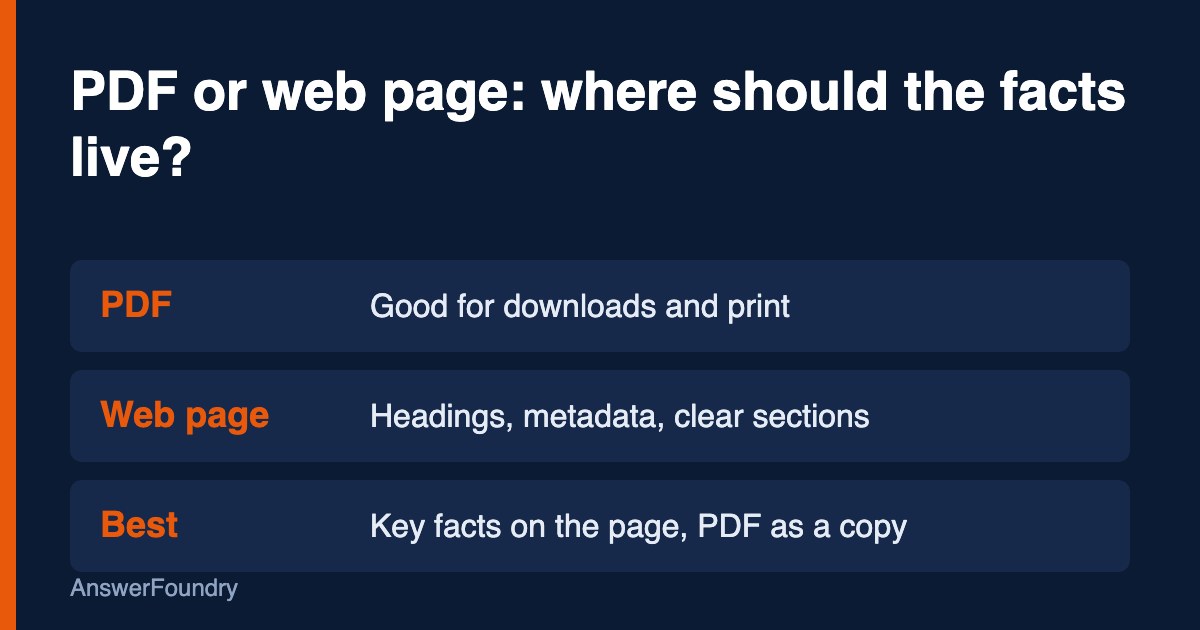
Sometimes. Google lists PDF as a file type it can index, but Microsoft says PDFs often lack the structured signals, such as headings and metadata, that HTML pages provide. If a price list, menu, or service description lives only in a PDF, put the same facts on a web page too.
What this means
A PDF is a document file. Search engines can read many of them, but the file usually carries less of the structure a web page has: no page title in the HTML, no heading tags, and often no description. AI tools that break content into pieces have less to work with.
Google lists "Adobe Portable Document Format (.pdf)" among the file types it supports for indexing, and says it can index "most" text-based files, so indexing is not guaranteed for every file (Google Search Central, 2026). Microsoft is more cautious about the format, noting that PDFs often lack the structured signals, such as headings and metadata, that HTML provides (Madhavan, 2025).
The practical reading: a PDF can be found, but a web page is easier for a machine to interpret and easier for a customer to open on a phone.
Who this applies to
Businesses that publish menus, price lists, brochures, intake forms, service guides, or policy documents as PDFs and nothing else. Restaurants, medical and dental offices, contractors, hotels, and event vendors are the usual cases.
How we'd evaluate it
We list every PDF linked from your site and ask:
- Is the content duplicated on a page? If the only copy of your prices or service list is a PDF, that is the first fix.
- Is the PDF text selectable? A scanned image saved as a PDF has no readable text for a parser to use.
- Is it linked from a page? An unlinked PDF is hard for crawlers to find.
- Is it current? Old PDFs with outdated prices or hours can keep circulating and be quoted back.
Available options
- Rebuild key PDFs as pages. Free to start. Move menus, prices, and service descriptions into HTML with headings, and keep the PDF as a download.
- Keep PDFs where they fit. Forms, printable guides, and spec sheets are fine as PDFs when a page summarizes them.
- Use text-based PDFs. Export from your document software rather than scanning paper.
- Retire outdated files. Remove or replace old versions so only one current copy exists.
Benefits, limitations, and tradeoffs
A page takes more effort to build than a PDF export, and it needs maintenance when prices change. The upside is one source of truth that people and machines read the same way. Do not delete useful PDFs just to make a point; the goal is to make sure the facts also exist in a form that is easy to read.
What we know
Google's file-type documentation lists PDF as a supported encoded file type and says file type is determined by the Content-Type header (Google Search Central, 2026). Google's AI features documentation says content must be indexed and eligible to show with a snippet to appear in AI Overviews or AI Mode, and recommends making sure important content is available in textual form (Google Search Central, 2025).
Microsoft says PDFs often lack headings and metadata, and recommends clear headings and modular layouts for content you want AI systems to use (Madhavan, 2025).
What we don't know: whether any AI tool ranks a PDF lower than an equivalent page. The sources above describe the structural gap, not a measured penalty.
Next steps
Search your site for ".pdf" links. For each one that holds information customers ask about, create or update a web page with the same facts under clear headings. Link the PDF from that page as a download. Then ask a few customer questions in ChatGPT and Google and see which source gets cited.
Orlando considerations
Orlando restaurants, attractions vendors, and event companies often post seasonal menus, rate sheets, and package guides as PDFs. Those change often, and old copies linger. A single current web page for each, with the PDF as a download, is easier for visitors on phones and easier to keep accurate.
Frequently asked questions
Will Google index my PDF?
It can. Google lists PDF as a supported file type, but says it can index "most" text-based files, so it is not guaranteed. A scanned image saved as a PDF may have no readable text.
Should I delete my PDFs?
No. Keep useful downloads. Make sure the key facts also exist on a web page, and make sure only the current version of each file is live.
Is a PDF menu a problem for AI search?
It can be if the menu exists only as a PDF. Put dishes, prices, and dietary notes in page text, and keep the PDF as a printable copy.
Does a PDF need a title?
A clear file name and a clear title in the file properties are good practice, but the bigger gain comes from having the same facts on an HTML page.
References
Google Search Central. (2026, February 3). File types indexable by Google. Google for Developers. https://developers.google.com/search/docs/crawling-indexing/indexable-file-types
Google Search Central. (2025, December 10). AI features and your website. Google for Developers. https://developers.google.com/search/docs/appearance/ai-features
Madhavan, K. (2025, October 8). Optimizing your content for inclusion in AI search answers. Microsoft Advertising. https://about.ads.microsoft.com/en/blog/post/october-2025/optimizing-your-content-for-inclusion-in-ai-search-answers
Last updated: October 3, 2026
If you want to know how AI tools describe your business today, and whether your site is getting in the way, an AI visibility audit maps it and gives you a prioritized list of what to fix first.