Published September 25, 2026
Can I see my AI Overviews and AI Mode traffic in Google Search Console?
Partly. Since August 31, 2026, every website in Google Search Console is supposed to have a generative AI performance report that shows how often links to your site appeared in AI Overviews and AI Mode. It counts impressions, broken down by page, country, device, and date. It does not show clicks, and it does not show the questions people asked. So you can now see whether Google’s AI is showing your pages, but not how much business that brought in.
What this means
Until this year, AI Overviews and AI Mode data was mixed into Search Console’s regular Performance report with no way to pull it out. Google still counts it there: sites that appear in AI features are included in overall search traffic, reported under the “Web” search type (Google Search Central, 2025).
On June 3, 2026, Google announced separate generative AI performance reports for Search and Discover and started with a subset of sites. A note added to that announcement says that as of August 31, 2026, the reports have rolled out to all websites worldwide (Maoz & Samet, 2026). The Search version covers AI Overviews and AI Mode. Google counts an impression each time a link to your site is shown to a user in one of those features (Search Console Help, n.d.).
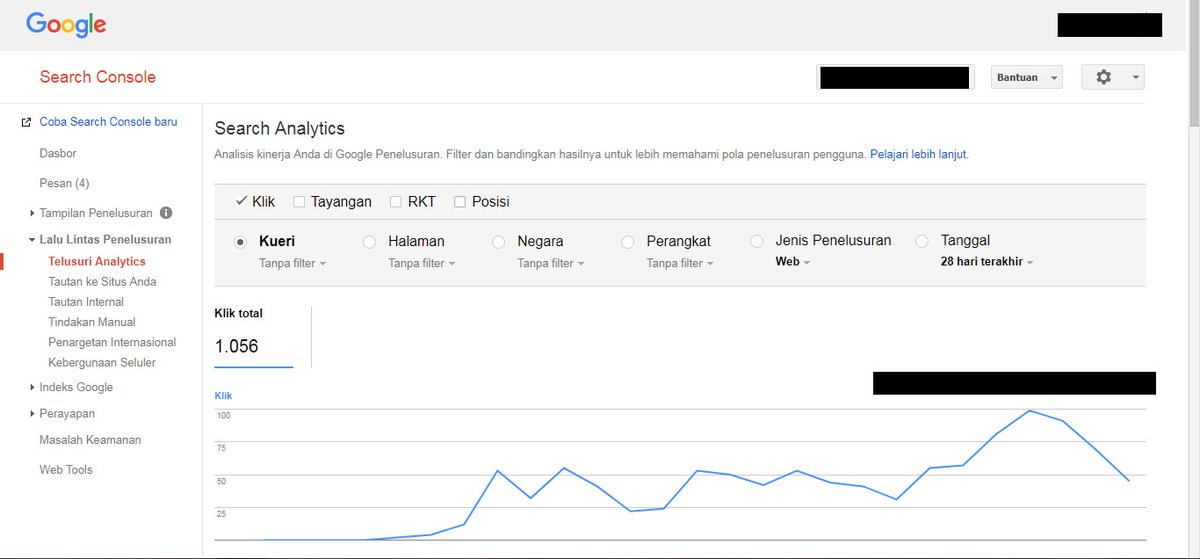
Photo: “Google Search Console” by Dwinandha, CC BY-SA 4.0. An older version of the regular Search Console performance report, shown for context. It is not the new generative AI report.
Who this applies to
Any business with a verified Search Console property. That includes local service businesses whose customers now ask Google long, specific questions in AI Mode, such as which firm handles a certain kind of case or which contractor does a certain repair near them.
It does not cover ChatGPT, Perplexity, Claude, or Gemini as a standalone app. Search Console only reports on Google Search and Discover. It also leaves out experiments in Search Labs (Search Console Help, n.d.).
How we’d evaluate it
For a client, we’d check three things in the first sitting:
- Do you have the report at all? Google’s help page says a property may not see it if the rollout hasn’t reached it yet, if the site hasn’t had enough impressions in AI features, or if the site was excluded from Search generative AI features in Settings (Search Console Help, n.d.). The third one is worth checking on purpose. Someone may have switched that setting on without knowing what it does.
- Which pages show up? Sort the Pages tab by impressions. Often a handful of pages carry nearly all the AI visibility, and they aren’t always the pages the business cares about most.
- What doesn’t show up? Compare that list with your main service pages. A core service page with no AI impressions is a lead worth following.
Available options
Use the new report for trend lines and page-level visibility. Use the regular Performance report for clicks and queries, keeping in mind that AI feature traffic is blended in there. Use Google Analytics or your call tracking for what happened after someone arrived. Google’s own guidance points site owners to Analytics for conversions and time on site (Google Search Central, 2025).
For the questions Search Console can’t answer, such as what AI Mode actually said about you or who it named instead, you still have to run the searches yourself and write down the results.
Benefits, limitations, and tradeoffs
The benefit is plain: first-party data from Google on whether its AI features are showing your pages, at hourly, daily, weekly, or monthly granularity (Maoz & Samet, 2026).
The limits are real, though. There is no click data (Southern, 2026). The listed dimensions are pages, countries, devices, and dates, with no query dimension (Search Console Help, n.d.). Impressions in the chart are counted per property, so two links to your site in the same AI answer count once. When you export the data, values shown as “~” or “-” become zeros (Search Console Help, n.d.). An impression also only means a link was shown. It says nothing about whether the answer described your business accurately or recommended you.
What we know
Google has been consistent that there are no special requirements or special markup needed to appear in AI Overviews or AI Mode. A page needs to be indexed and eligible to show with a snippet (Google Search Central, 2025). Google also says clicks from results pages with AI Overviews are “higher quality,” meaning people spend more time on the site. That is Google’s claim about its own product, and the new report gives you no click data to check it against.
Search Engine Journal reports that the report launch came alongside a Search Console setting that lets a site opt out of AI features in Search. Sites that opt out get no traffic or impressions from those features. The UK Competition and Markets Authority has set a March 2027 deadline for page-level controls and also expects click-through data, though Google’s August 31 update didn’t mention click reporting (Southern, 2026). We don’t know yet when, or whether, clicks will be added.
Next steps
- Open Search Console and check whether the generative AI performance report appears under Performance.
- If it doesn’t, check Settings to confirm your site hasn’t been excluded from Search generative AI features.
- Export the Pages view and save it with today’s date as a baseline.
- Compare that list with the pages that bring in your best customers.
- Check the report again monthly, and run a few real AI Mode searches alongside it so you know what the answers actually say.
Orlando considerations
For Orlando and Central Florida businesses, the Countries tab won’t tell you much, since nearly all of your customers are in one country. The more useful views are Pages and Devices. For a local service business, phone searches are often where the hurried “who should I call” question gets asked, so a split between mobile and desktop impressions is worth tracking over time. That’s our reasoning, not a measured result.
Frequently asked questions
Does the generative AI report show clicks from AI Overviews?
No. As of September 25, 2026, the report shows impressions only. Clicks from AI features are still counted in the regular Performance report under the Web search type, but they aren’t separated out.
Why don’t I see the report in my Search Console?
Google lists three reasons: the rollout hasn’t reached your property, your site hasn’t had enough impressions in AI features, or your site has been excluded from Search generative AI features in Settings.
Does this report cover ChatGPT or Perplexity?
No. Search Console only reports on Google Search and Discover. Visibility in ChatGPT, Perplexity, and other assistants has to be checked separately.
If my AI impressions go up, will I get more customers?
Not necessarily. An impression only means a link to your site was shown. It doesn’t show whether anyone clicked, what the answer said about you, or whether it recommended a competitor. No one can guarantee placement in Google’s AI features, including AnswerFoundry.
References
Google Search Central. (2025, December 10). AI features and your website. Google for Developers. https://developers.google.com/search/docs/appearance/ai-features
Maoz, H., & Samet, M. (2026, June 3; updated 2026, August 31). Introducing Search generative AI performance reports in Search Console. Google Search Central Blog. https://developers.google.com/search/blog/2026/06/gen-ai-performance-reports
Search Console Help. (n.d.). Generative AI performance report (Search). Google. Retrieved September 25, 2026, from https://support.google.com/webmasters/answer/16984139?hl=en
Southern, M. G. (2026, August 31). Google Search Console AI reports rolled out worldwide. Search Engine Journal. https://www.searchenginejournal.com/google-search-console-ai-reports-rolled-out-worldwide/587836/
Last updated: September 25, 2026
If you’re not sure whether Google, ChatGPT, or other AI engines are finding your business at all, that’s the gap an AI visibility audit is built to map, with a prioritized list of what to fix first.